I needed a cheap solution to run bhyve on FreeBSD/arm64. After some research, I decided to try the Quartz64 Model A board.
Requirements for bhyve on arm64 as per vmm(4) are:
     •   arm64: The boot CPU must start in EL2 and the system must have a
         GICv3 interrupt controller.  VHE support will be used if available.
The Quartz64 board satisfies these requirements, so I decided to give it a shot.
FreeBSD installation with u-boot
The FreeBSD Wiki page for Rockchip recommends using the RockPro64 image and using the loader from the sysutils/u-boot-quartz64-a port. It is also possible to use a UEFI-based installation, which I will cover later. I downloaded the latest CURRENT snapshot image for RockPro64 and flashed it to a USB memstick. Then I installed sysutils/u-boot-quartz64-a and flashed the loader to an SD card. I think it's possible to flash everything to the same media, but it's easier for me to have a working loader on the SD card while I experiment with the main OS on the USB memory stick.
The next step is to prepare a USB serial console. I bought one from Pine. Wiring is fairly simple, but do not forget to switch RX/TX.
To connect to the console I used:
sudo minicom -D /dev/cuaU0 -b 1500000
It should be enough to get started.
Issues
I have encountered some issues and limitations. Specifically:
- The eqos NIC driver detects the device, but fails to attach. Solved by using an external RTL8153 based USB adapter.
- bhyve(8) might not work if you run a FreeBSD version which does not include this commit.
- NVMe/PCI does not work.
FWIW, this list is accurate for FreeBSD 16.0-CURRENT as of early/mid Feb 2026.
Not being able to use NVMe was a major deal breaker for me as it's not possible to get decent I/O rates without it, so I decided to test the UEFI approach.
FreeBSD installation with UEFI
For this setup, I kept my original memstick I used together with the u-boot SD card. Then I replaced the u-boot SD card with another one on which I flashed Quartz64 UEFI.
The console setup for it is somewhat different, so I used: cu -s 115200 -l /dev/ttyU0 to connect to it. Another detail: it allows you to enter the configuration menu before booting and choose one of UEFI, UEFI+devicetree, or devicetree modes. I'm using the UEFI mode.
The rest is fairly similar to the u-boot option.
What's different? The main difference for me is that NVMe finally works. Bhyve also works. However, there are some limitations, specifically:
- Built-in devices are not detected without a device tree. That means no eMMC, no NIC, and maybe others.
I decided to settle on the UEFI option because I have an external USB NIC anyway, and NVMe is more important than eMMC to me. And bhyve works fine in this mode.
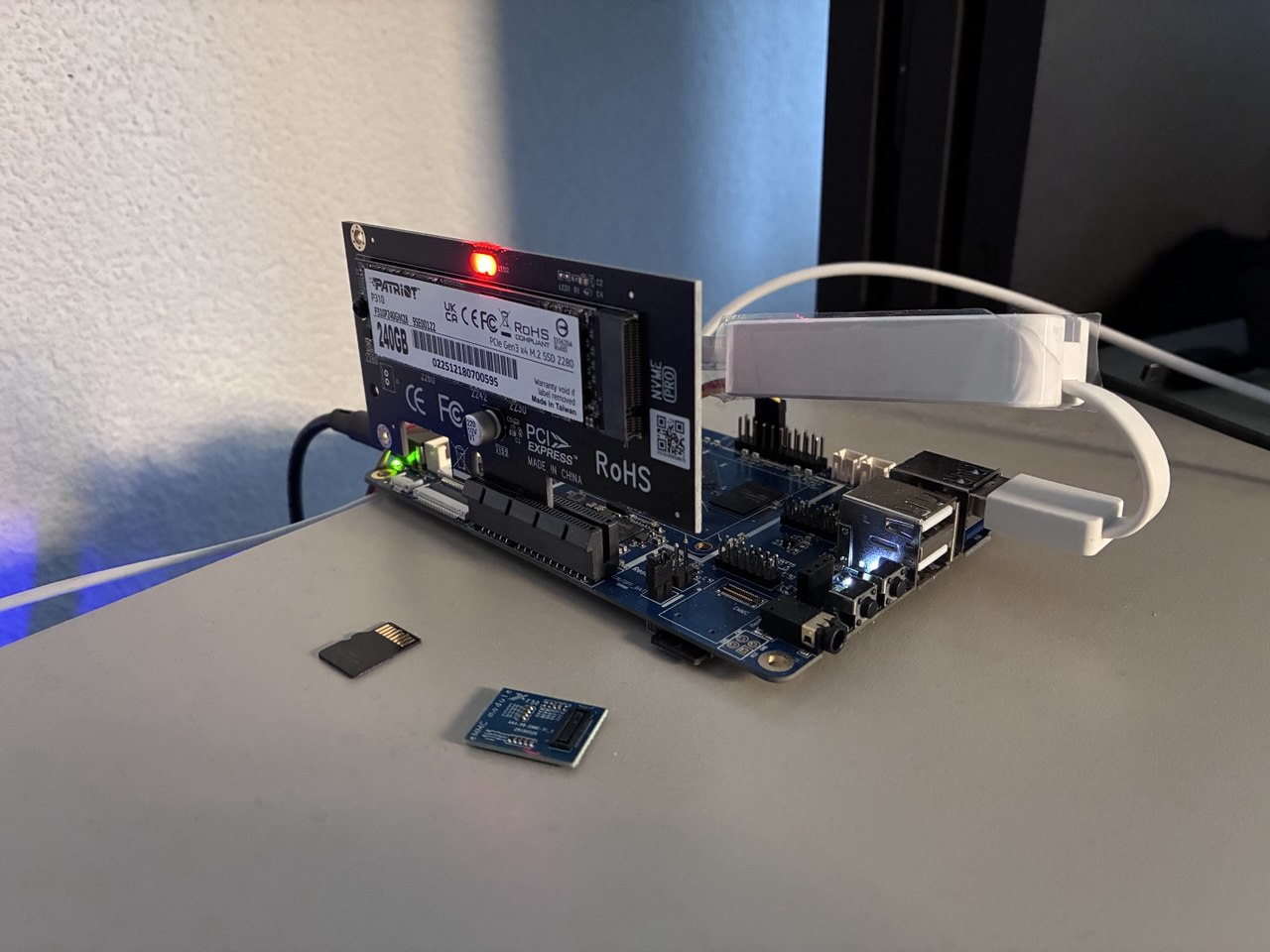
Here is how it looks now:
And the dmesg.

No comments:
Post a Comment